Internet Use
Learn to navigate the internet safely and effectively while making the most of online resources.
Welcome to the Internet
Begin your journey into understanding the internet - the global network that connects billions of devices and people worldwide. Learn how to navigate this vast digital landscape safely and effectively.
Wi-Fi Repeater
A WiFi repeater extends your wireless network's coverage area by receiving and rebroadcasting the signal from your main router.
Network Firewall
A firewall device monitors and controls incoming and outgoing network traffic, protecting your network from unauthorized access and cyber threats.
Internet Modem
A modem converts digital signals from your devices into signals that can travel over internet cables, and vice versa, enabling internet connectivity.
Network Switch
A network switch connects multiple devices on a local network, allowing them to communicate with each other and share resources efficiently.
Network Router
A router directs network traffic between different networks, managing data flow and providing wireless connectivity for your devices.
.png)
Introduction to Internet
Welcome to the comprehensive internet tutorial. Learn the fundamentals of internet connectivity and how to access online resources safely and effectively.
Computer Safety Basics
Understanding the importance of computer safety and security measures. Learn how to protect your device and personal information while using the internet.
Secure Login Process
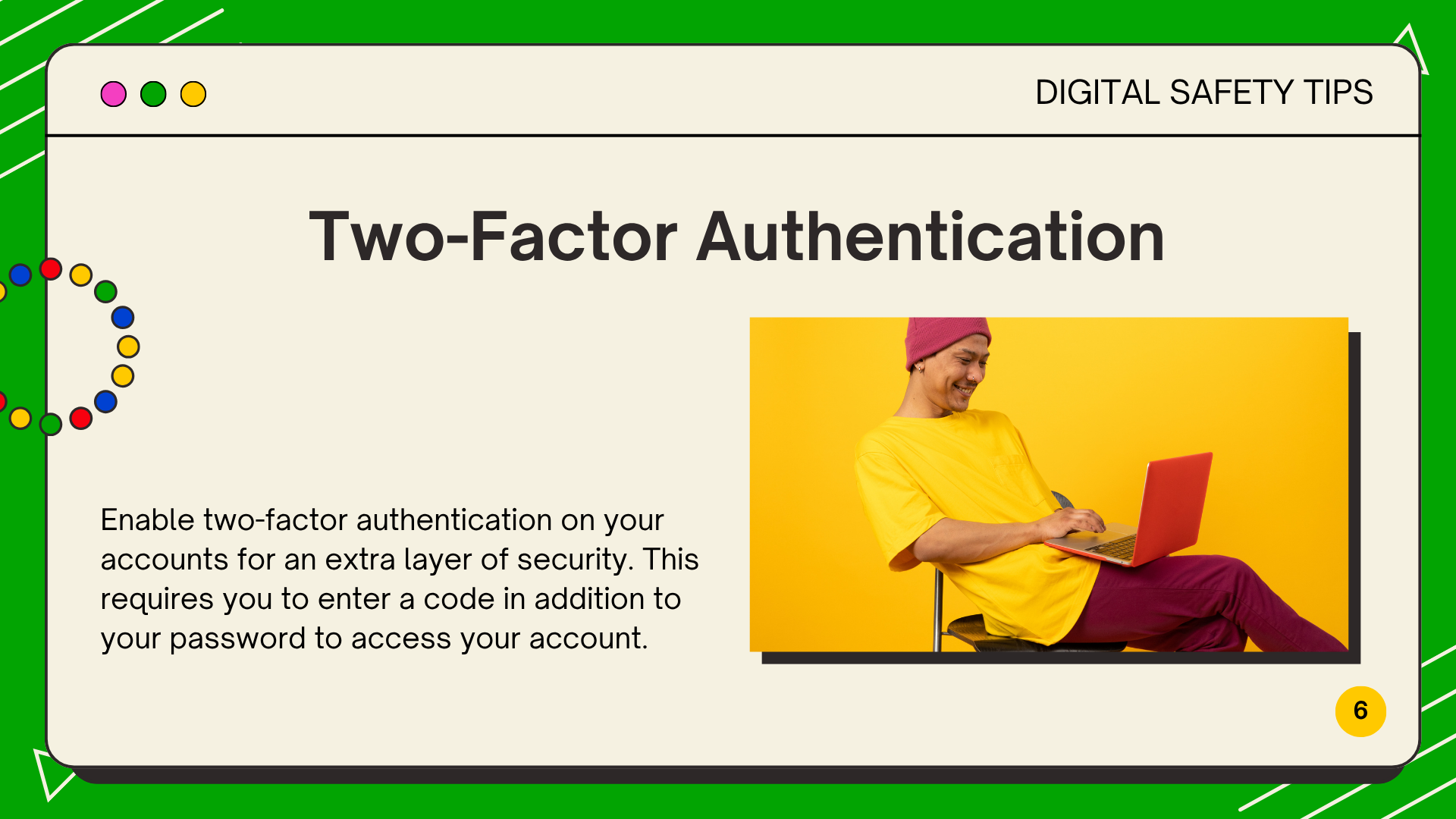
Master the essential skill of logging into your computer safely and securely. Learn about user accounts, passwords, and the importance of protecting your digital identity.
Creating New Folders
Discover multiple ways to create folders for organizing your files. Learn the right-click method, ribbon commands, and keyboard shortcuts for efficient file management.
Renaming Files and Folders
Learn how to give your files and folders meaningful, descriptive names. Master the F2 shortcut, right-click options, and best practices for naming conventions.
🔄 Moving and Copying Files
Master the essential skills of transferring files between locations. Learn drag-and-drop techniques, copy-paste operations, and cut-move methods.
📋 File Management Best Practices
Implement effective file organization strategies to keep your digital workspace clean and efficient. Learn about folder structures and backup strategies.
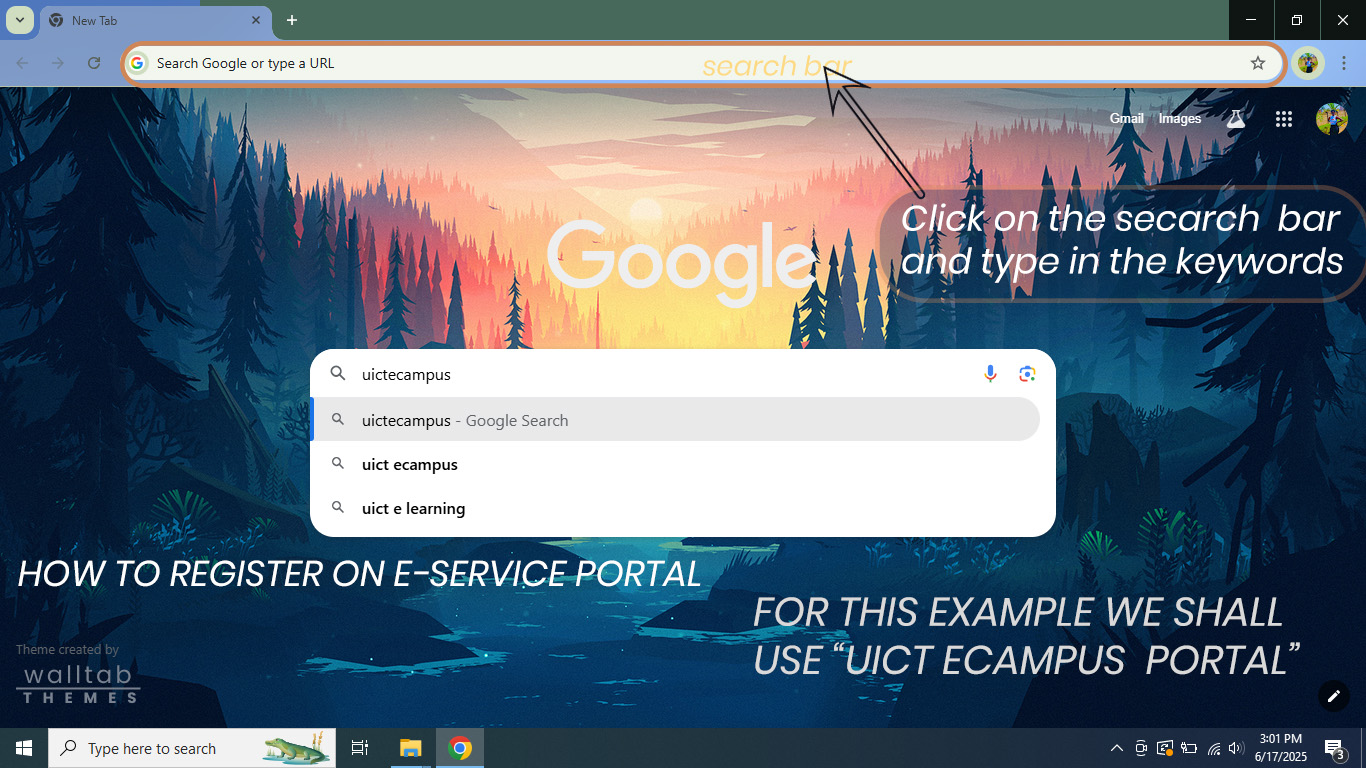
E-Service Portal Introduction
Introduction to Uganda's e-service portals. Understand how government services are digitized and how to access them online safely.
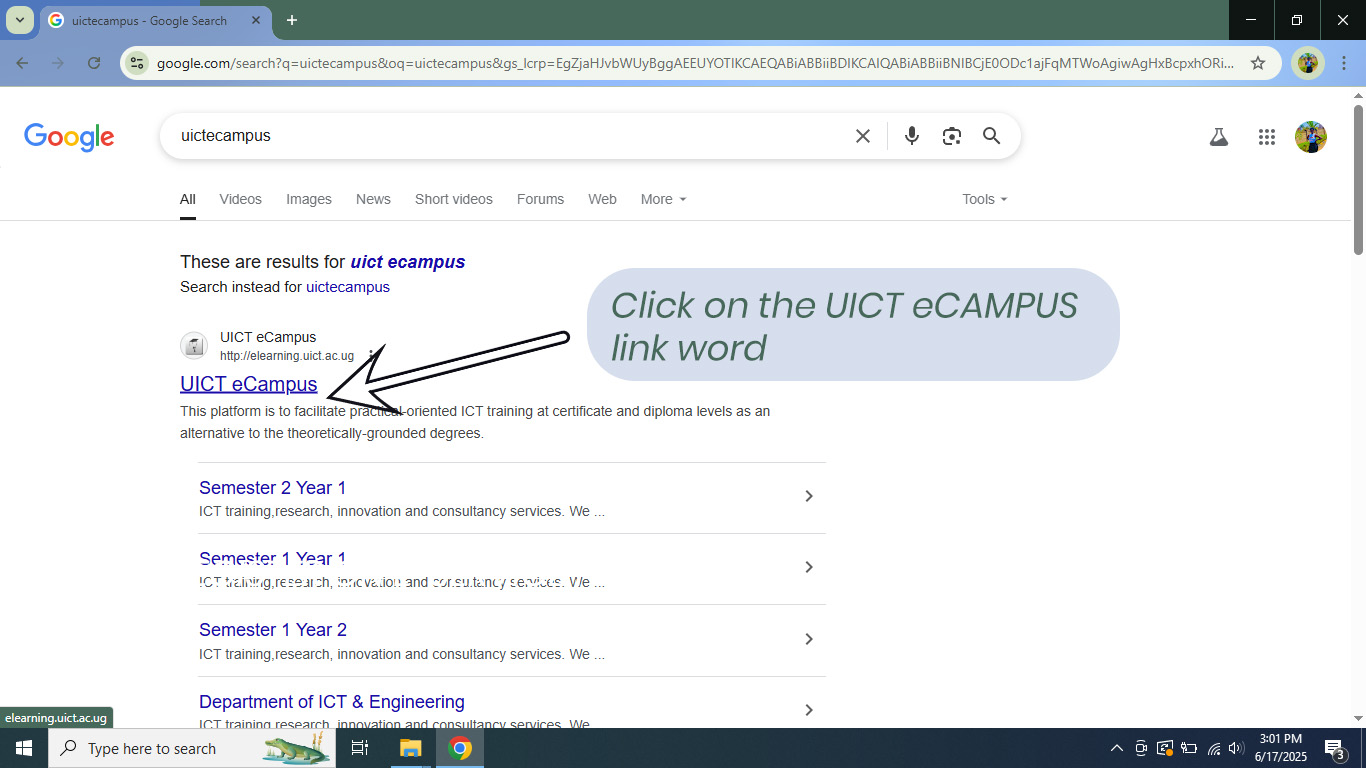
Portal Navigation
Learn how to navigate through government e-service portals effectively. Understanding menu structures, service categories, and search functions.
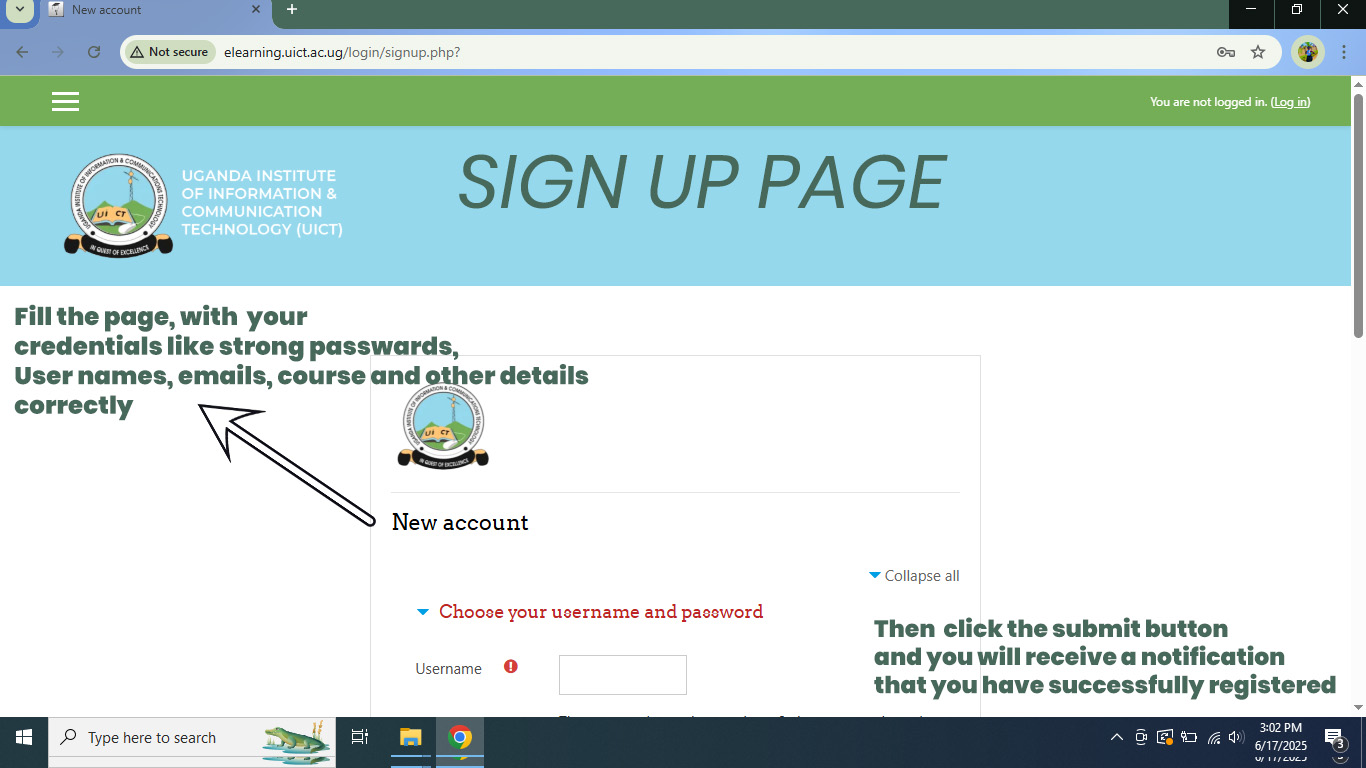
Service Selection
Discover how to find and select the specific government services you need. Learn about service descriptions, requirements, and prerequisites.
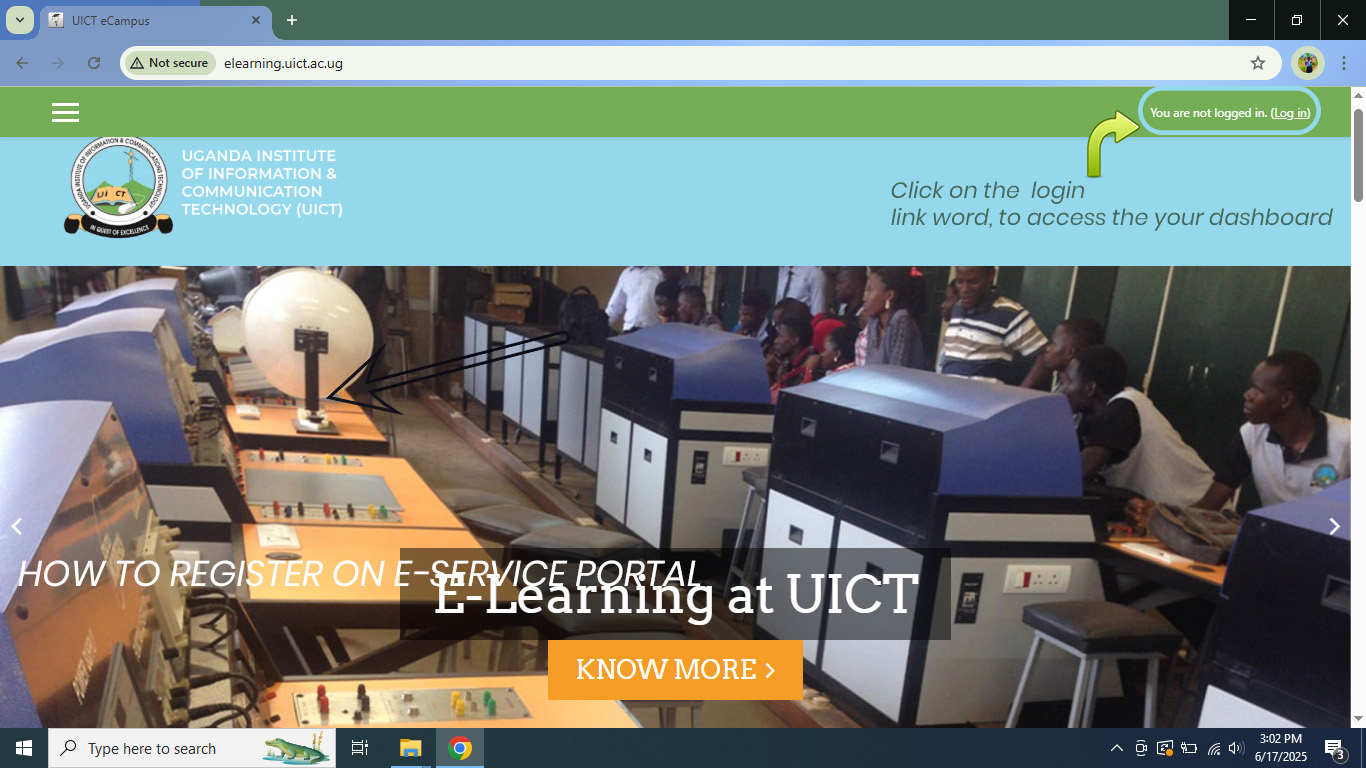
Application Process
Step-by-step guide through the application process for government services. Learn about form completion, document upload, and submission procedures.
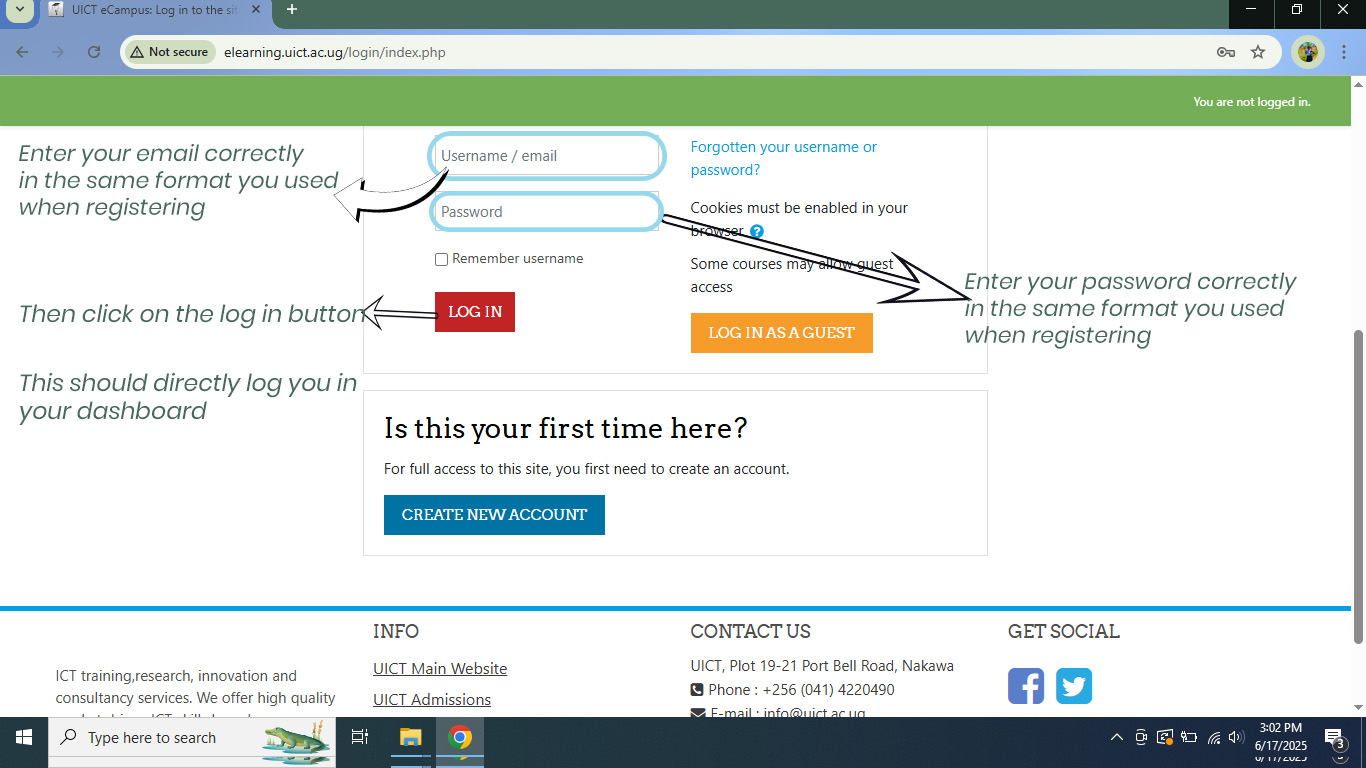
Application Completion
Understanding confirmation processes, tracking application status, and receiving digital certificates or approvals from government services.
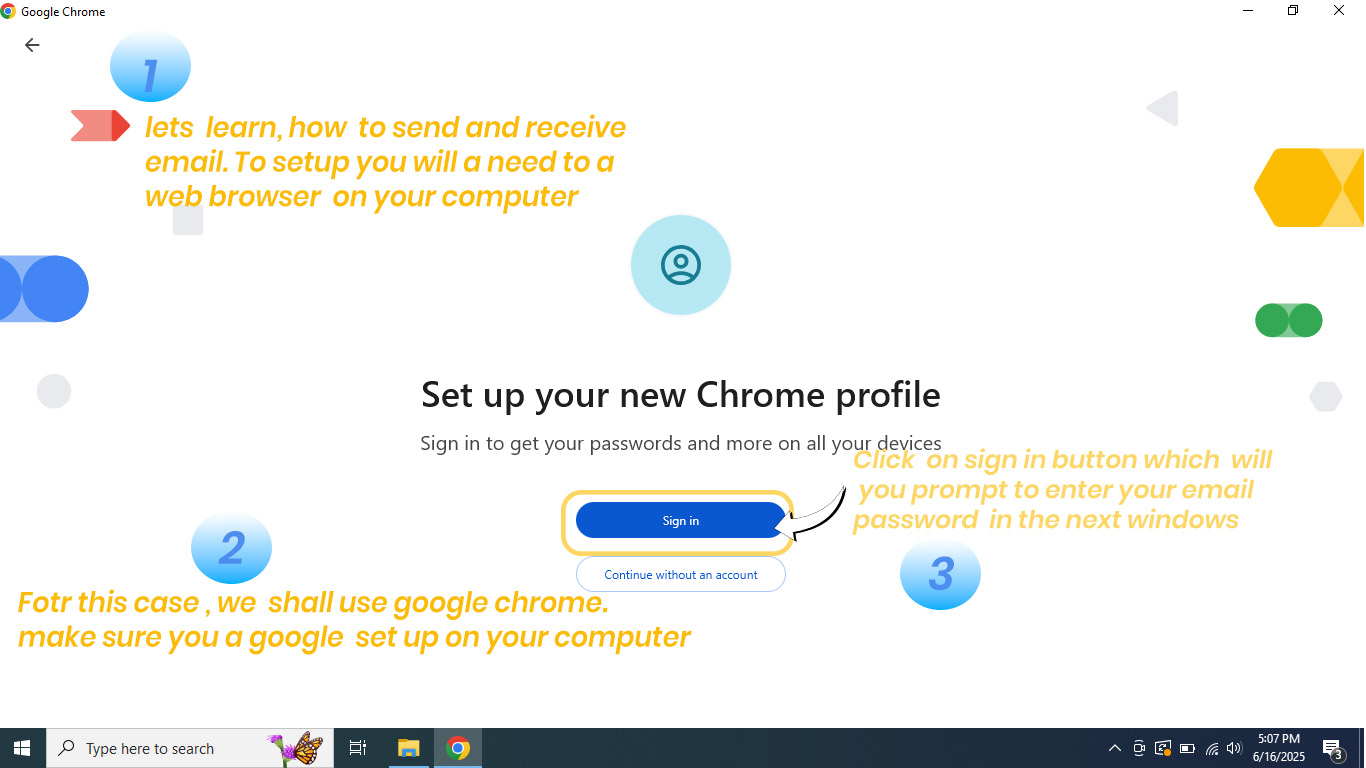
Email Setup and Configuration
Learn how to set up and configure email accounts for accessing government services and maintaining digital communication.
Email Management
Master email organization, security practices, and effective communication strategies for professional and government correspondence.

Email Security
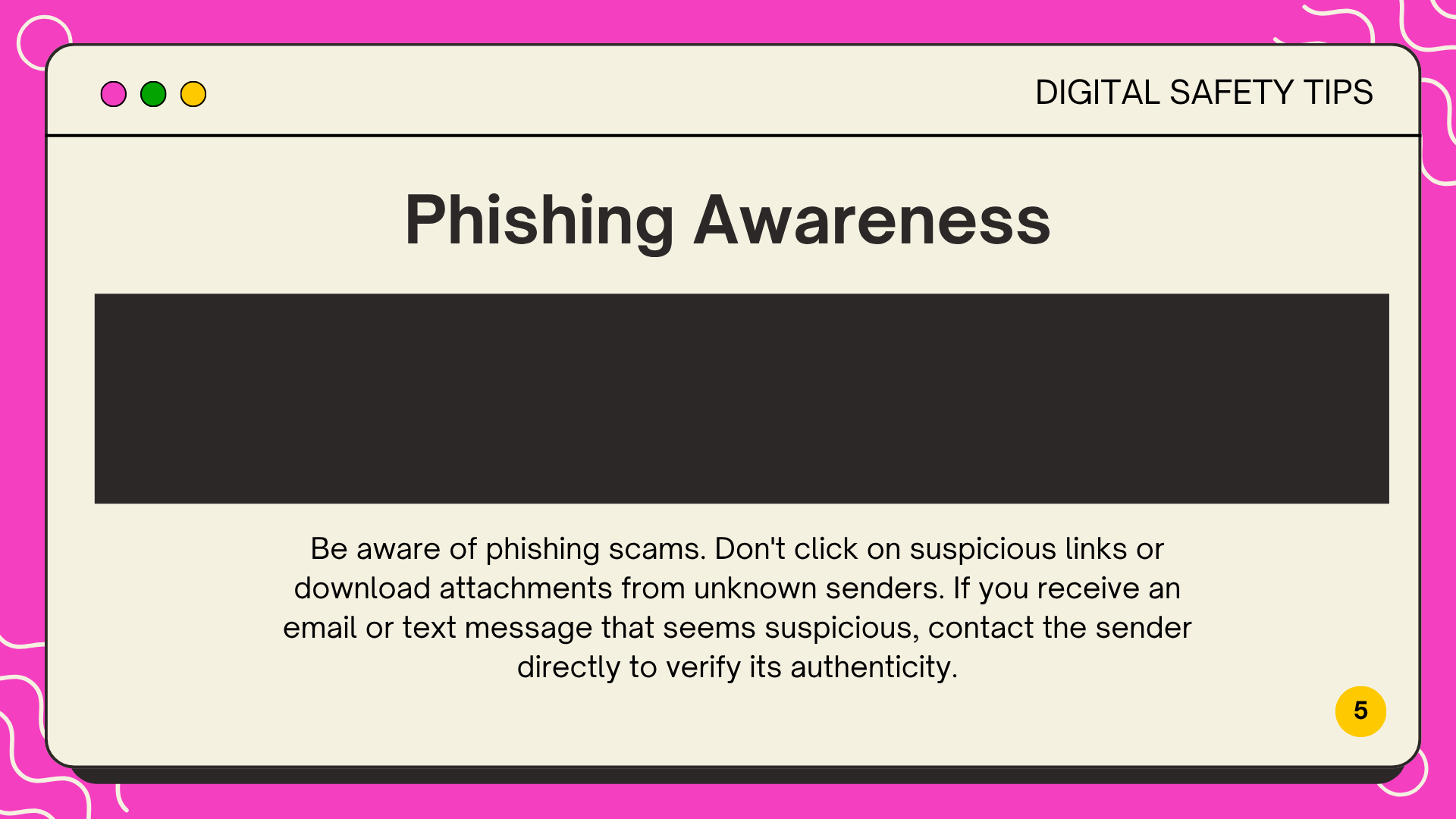
Understanding email security threats, phishing prevention, and safe email practices to protect your personal and professional information.
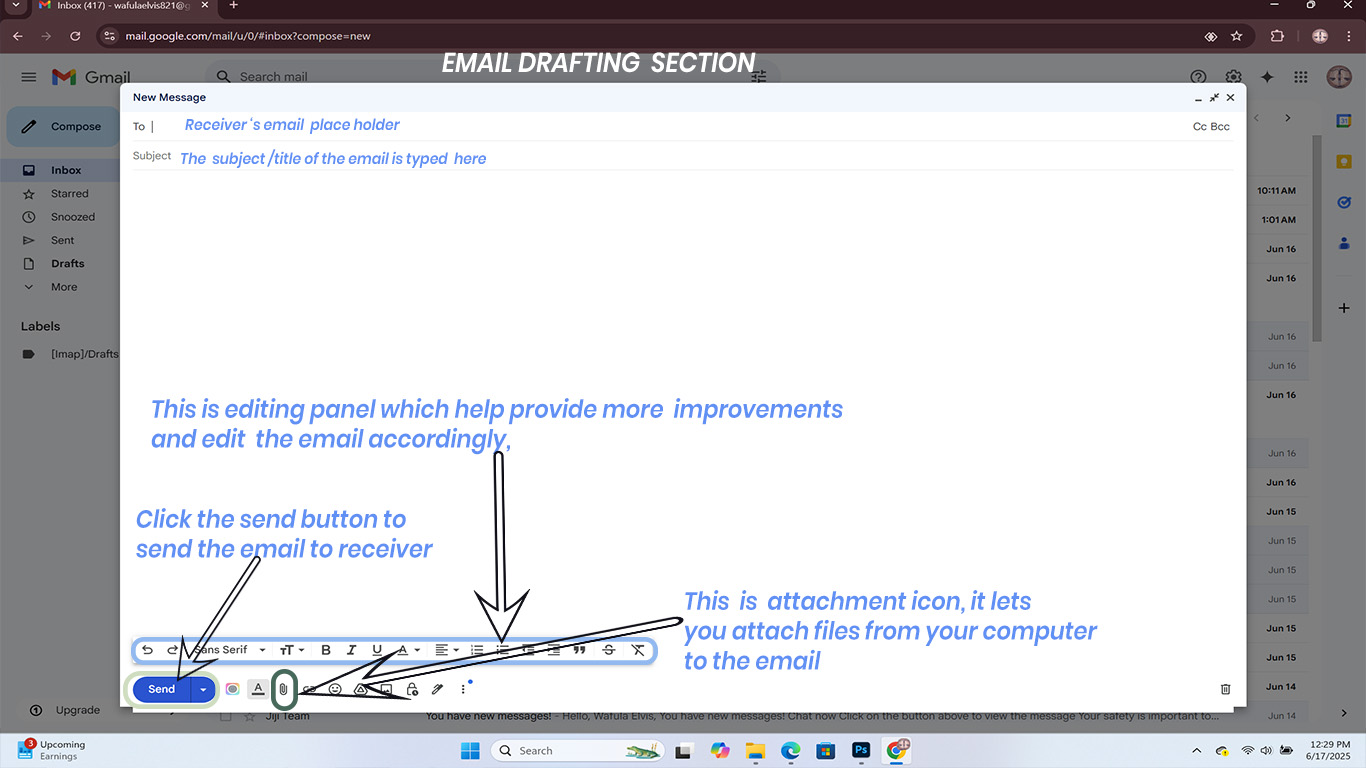
Email Best Practices
Implement professional email etiquette, efficient communication strategies, and advanced email features for productivity and effectiveness.
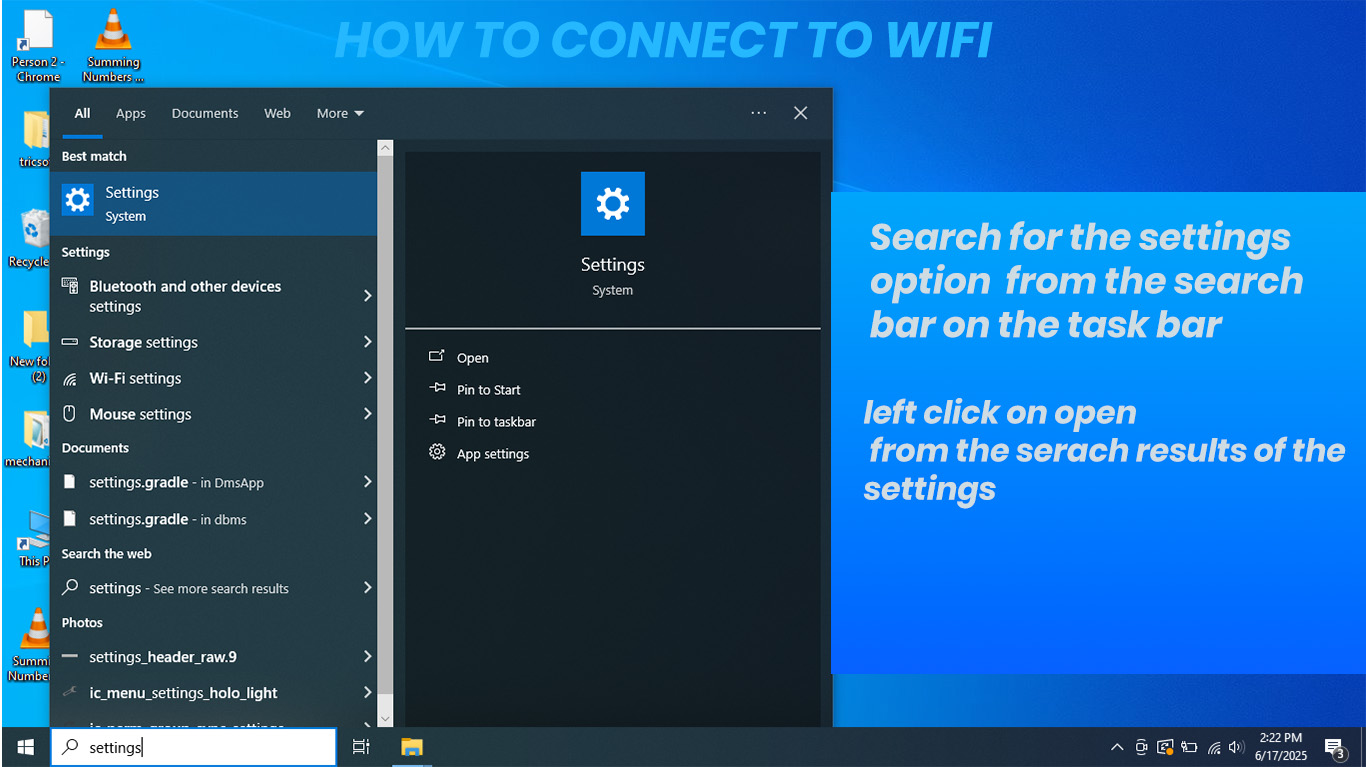
📡 Wi-Fi Connection Guide
Learn the fundamentals of Wi-Fi technology and how to identify available networks for secure internet access.
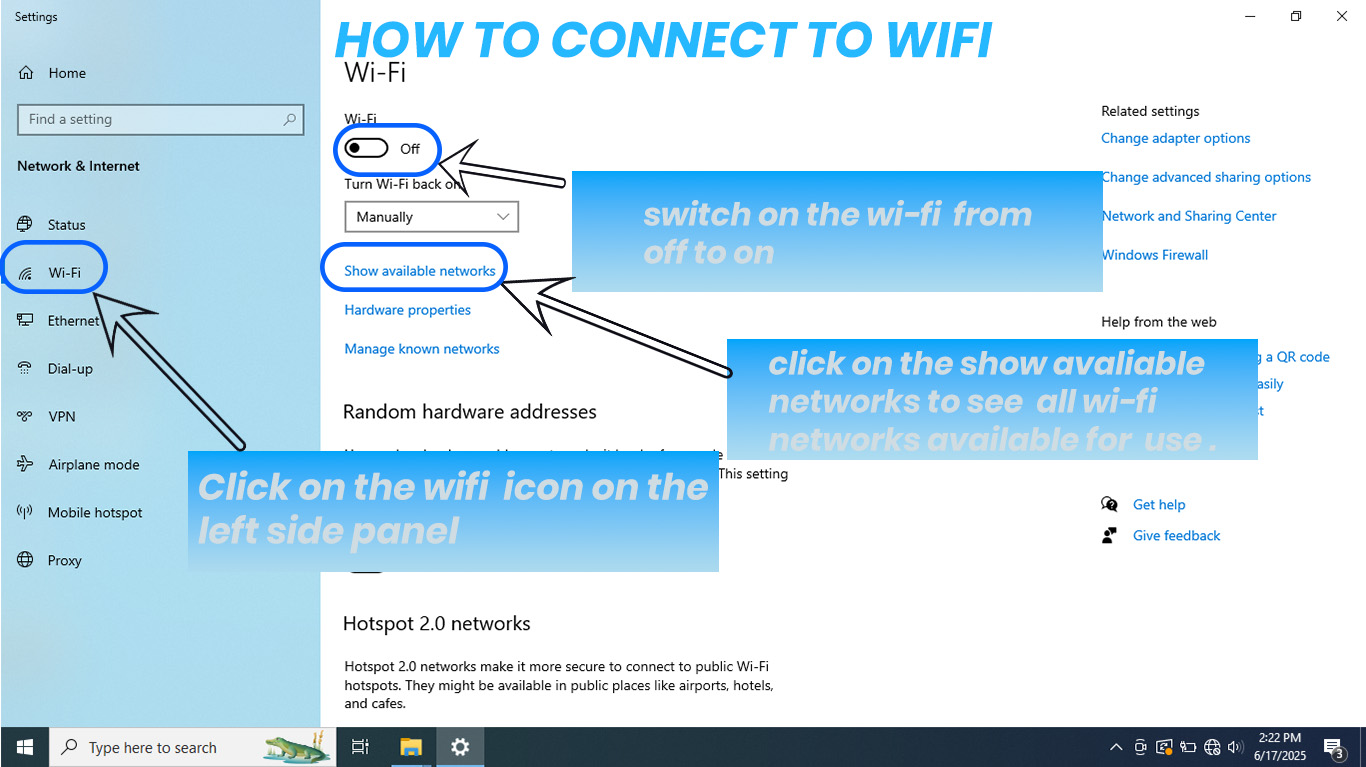
Network Security
Understand how to connect securely to Wi-Fi networks, recognize secure connections, and protect your data during internet use.
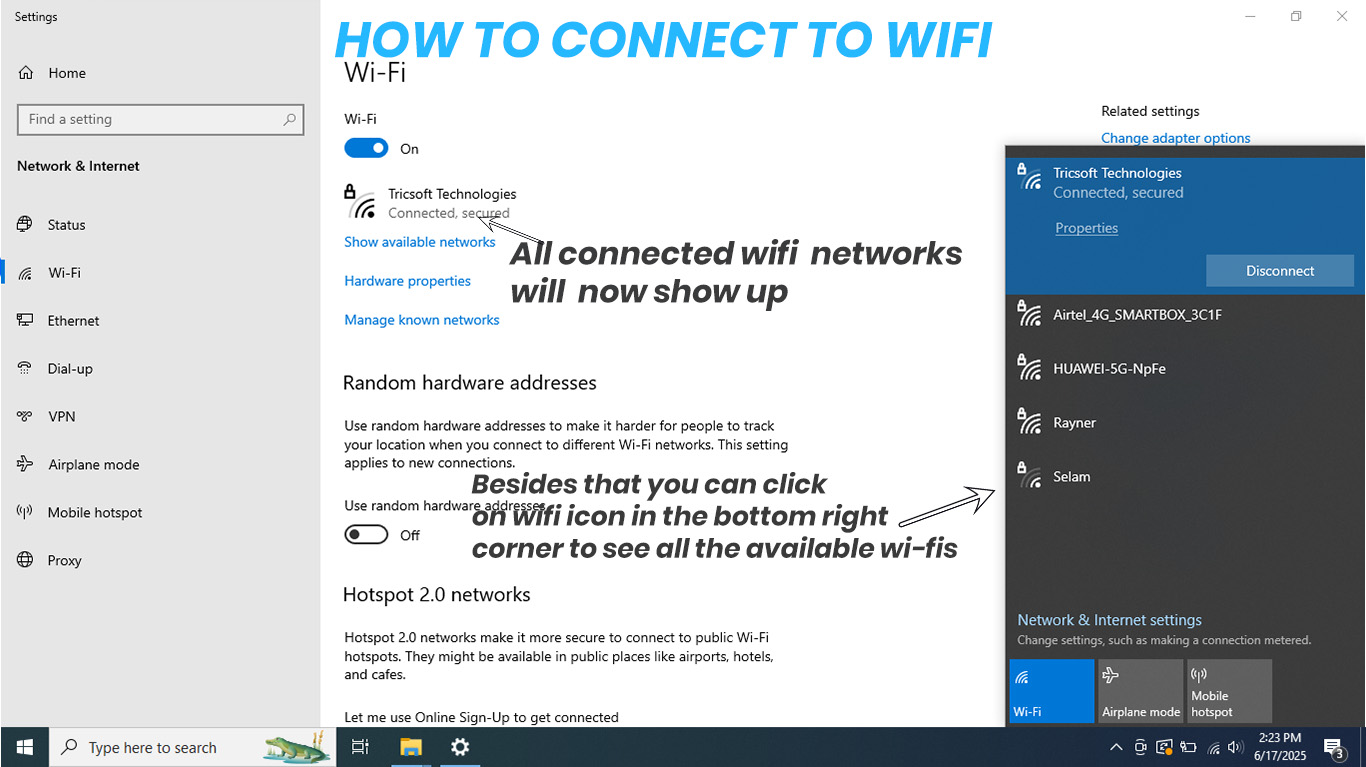
Course Completion
Congratulations! You have successfully completed the Internet Usage & E-Service Tutorial. You are now equipped with essential digital literacy skills for modern Uganda.

Wi-Fi Connection Simulation
Practice connecting to Wi-Fi networks securely and learn about network security settings.

Internet Use and Safety Simulation
Interactive game to learn about internet safety, digital citizenship, and responsible online behavior.

Government E-Services Portal
Learn how to register and access essential government services online including UNEB, Posta Uganda, and UCC services.